Platform
Everything you need to deliver world-class coaching
From session scheduling to goal tracking, CPD management to AI-powered insights, Mentric brings every tool modern coaching needs into one beautifully designed platform.
Sessions
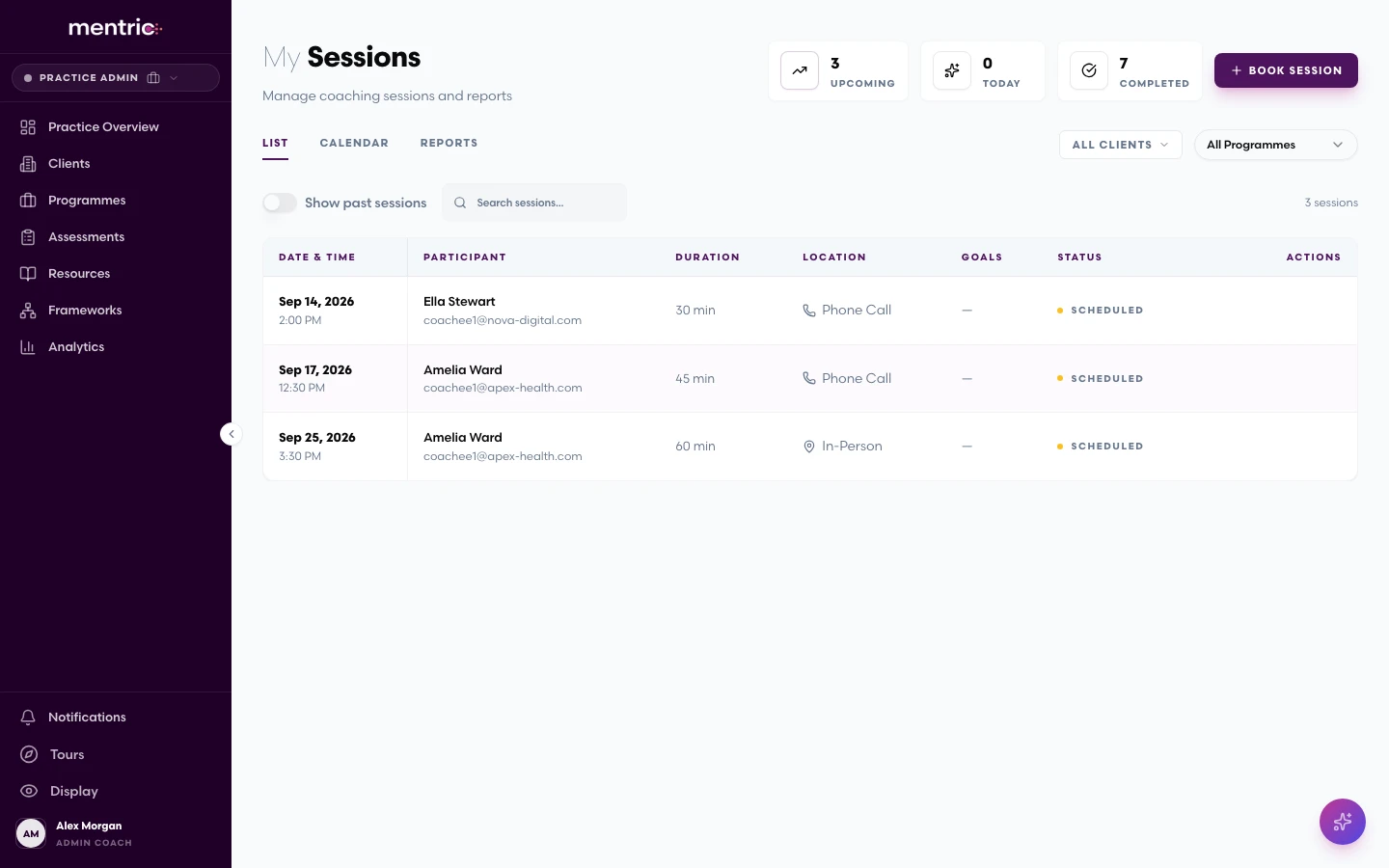
Session Management
Schedule, run, and review coaching sessions across every format, with intelligent tools that capture what matters so you can focus on the conversation.
Multi-format scheduling
Schedule sessions across Zoom, Microsoft Teams, phone, and in-person, all from one calendar view.
Notes, actions & outcomes
Capture session notes in real time, assign follow-up actions, and record outcomes linked to goals.
AI summaries & transcription
Automatic session summaries and full transcription powered by Fireflies integration. Never miss a key insight.
Group coaching sessions
Run group sessions with full attendance tracking, individual notes, and post-session follow-ups for each participant.
RSVP & calendar management
Coachees confirm attendance directly. Calendar invitations sync automatically so everyone stays aligned.
Progress
Goals & Journeys
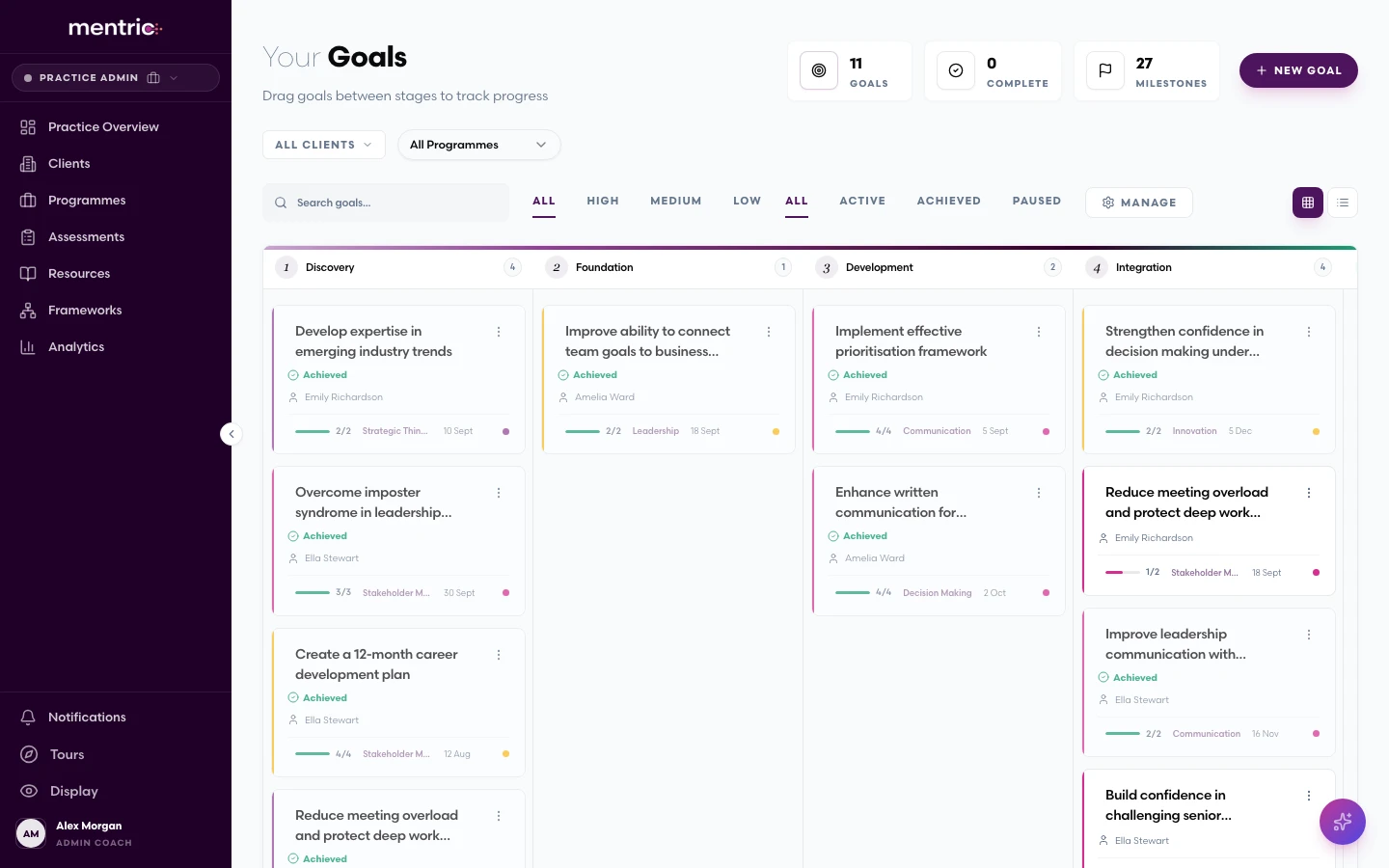
Structure coaching engagements around meaningful goals and visual journeys that track real progress, from first awareness through to lasting integration.
Customisable coaching journeys
Create structured journeys with configurable stages (Awareness, Development, Mastery, Integration) tailored to each coachee.
Milestones & due dates
Set goals with clear milestones, target dates, and evidence requirements to keep coaching on track.
Evidence tracking
Upload evidence files or link external proof, including deployed projects, published articles, and certifications, to demonstrate real-world impact.
AI goal recommendations
Let Mentric's AI suggest personalised goals based on coaching data, saving time and surfacing blindspots.
Visual pipeline view
See every coachee's progress at a glance with a kanban-style pipeline that shows where they are in their journey.
Configurable ownership
Choose whether goals are coach-led or coachee-led, empowering self-directed development or maintaining structured guidance.
Knowledge
Resources, Learning & Surveys
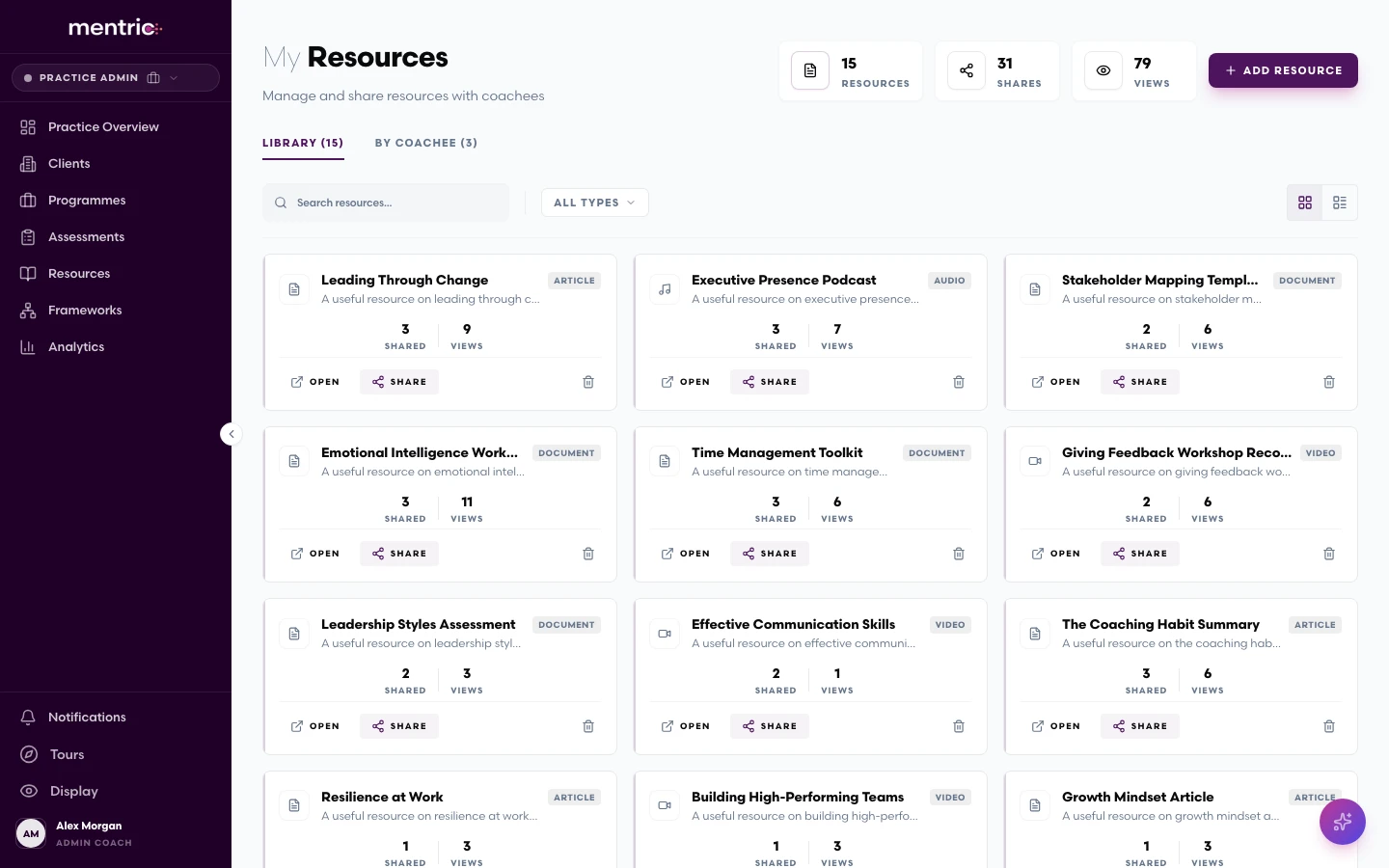
Build and share curated resource libraries to support coaching engagements, from articles and frameworks to videos and worksheets. Run surveys to gather structured feedback and measure impact over time.
Personal & organisation libraries
Maintain your own resource library alongside organisation-level shared collections for consistency across your organisation.
Individual & bulk sharing
Share resources with individual coachees or in bulk across a programme, with full control over timing and visibility.
Engagement tracking
See who has viewed, downloaded, or engaged with shared resources to understand what resonates.
Multi-format support
Upload documents, videos, links, and articles. Everything your coachees need in one searchable place.
Intelligence
Analytics & Insights
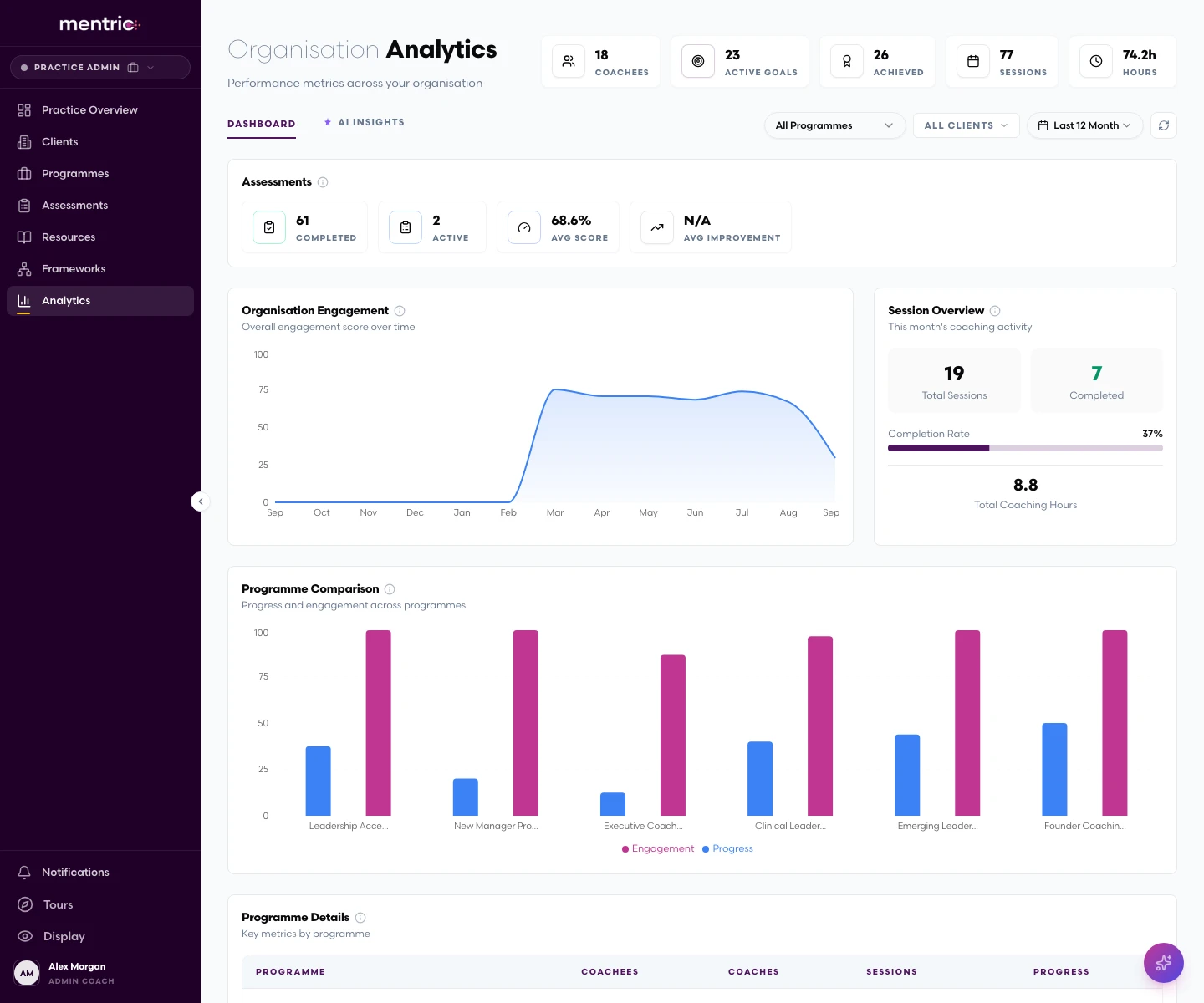
Role-based dashboards and AI-powered queries that turn coaching data into actionable insight for coaches, coachees, and organisations alike.
Role-based dashboards
Coaches, admins, and coachees each get a tailored dashboard showing the metrics that matter most to their role.
Trends & engagement metrics
Trend charts, engagement scores, and status summaries that reveal patterns across your entire coaching portfolio.
AI natural language queries
Ask questions in plain English ("Which coachees haven't had a session in 30 days?") and get instant, data-backed answers.
Goal & confidence tracking
Track goal progress and confidence levels over time to spot genuine behavioural shifts and development patterns.
Programme comparison
Organisations can benchmark coaching programmes against each other to understand what drives the best outcomes.
Export & reporting
Export data and generate reports for stakeholder presentations, board reviews, or accreditation submissions.
Professional Development
CPD & Accreditation
Track your continuing professional development effortlessly, from automatic session logging to reflective practice and accreditation evidence.
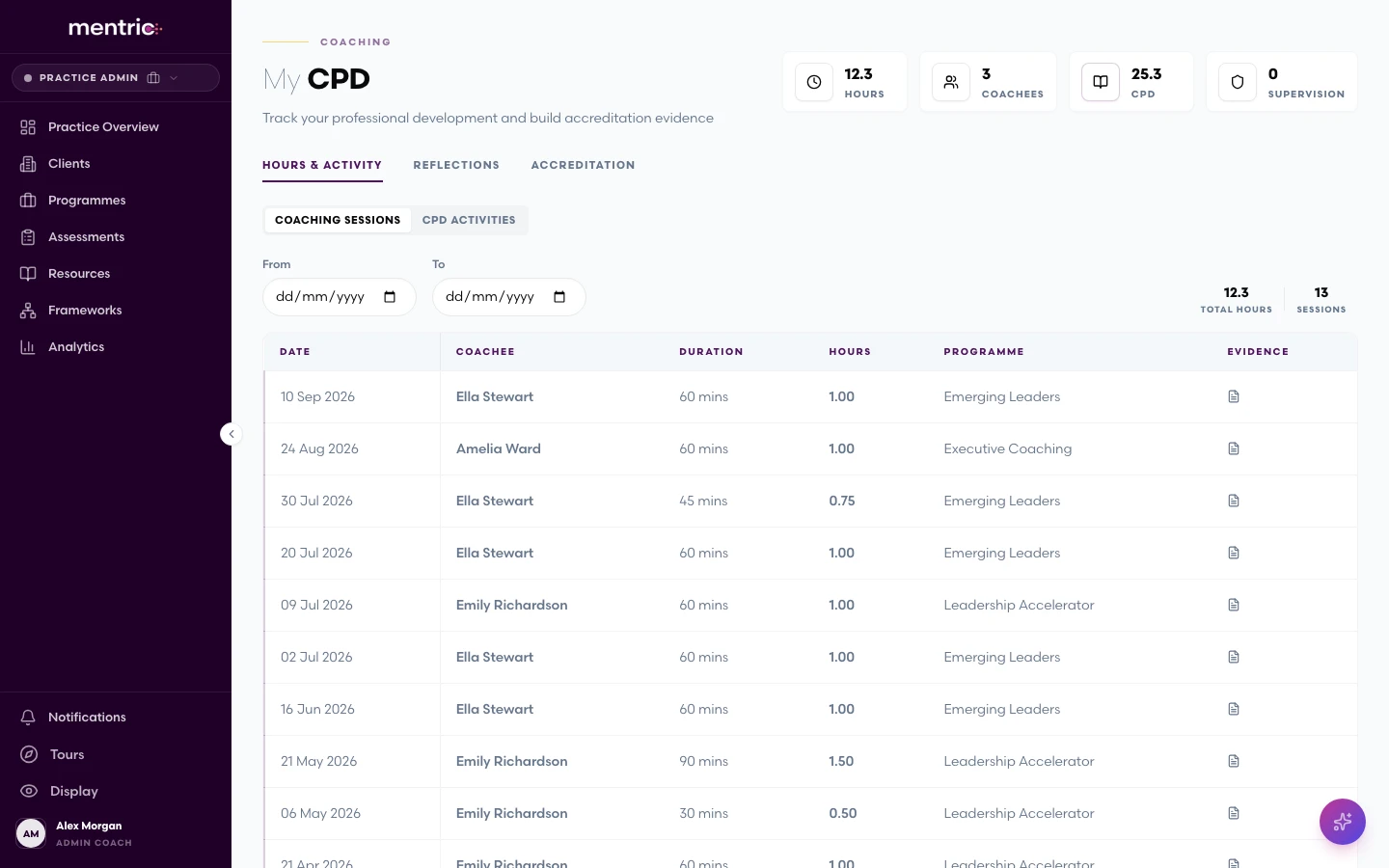
Automatic hours logging
Coaching session hours are logged automatically. No double entry, no spreadsheets, no guesswork.
Manual CPD & supervision hours
Record CPD activities, supervision sessions, and other professional development hours alongside your coaching work.
Reflective practice journal
Maintain a structured reflective journal that supports your professional growth and accreditation requirements.
Accreditation evidence
Link evidence directly to accreditation requirements: hours, reflections, and supervision records, all in one place.
CPD dashboard
A clear dashboard showing total coaching hours, CPD activities, and supervision metrics against your targets.
Communication
Messaging & Collaboration
Keep coaching conversations flowing between sessions with built-in messaging, file sharing, and real-time notifications.
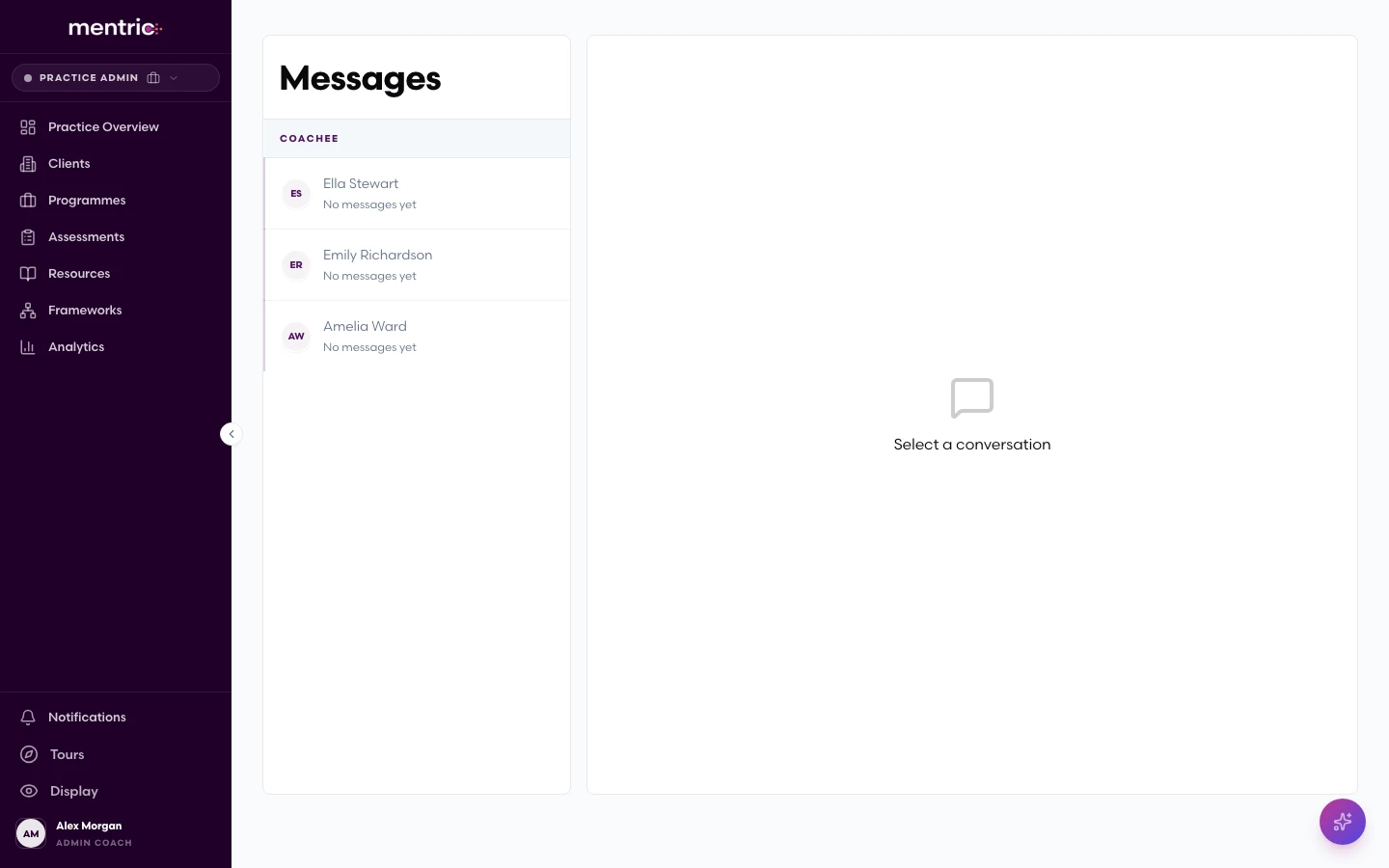
Direct messaging
Secure, in-platform messaging between coaches and coachees. No need to switch to email or external apps.
Group conversations
Start group threads for cohort discussions, programme announcements, or peer support circles.
File & link sharing
Share documents, links, and resources directly within conversations for easy reference.
Real-time notifications
Instant notifications powered by SignalR keep everyone informed the moment something needs their attention.
Groups
Group Coaching
Manage group coaching engagements with the same rigour as one-to-one, from group creation and scheduling through to individual attendance and dynamics tracking.
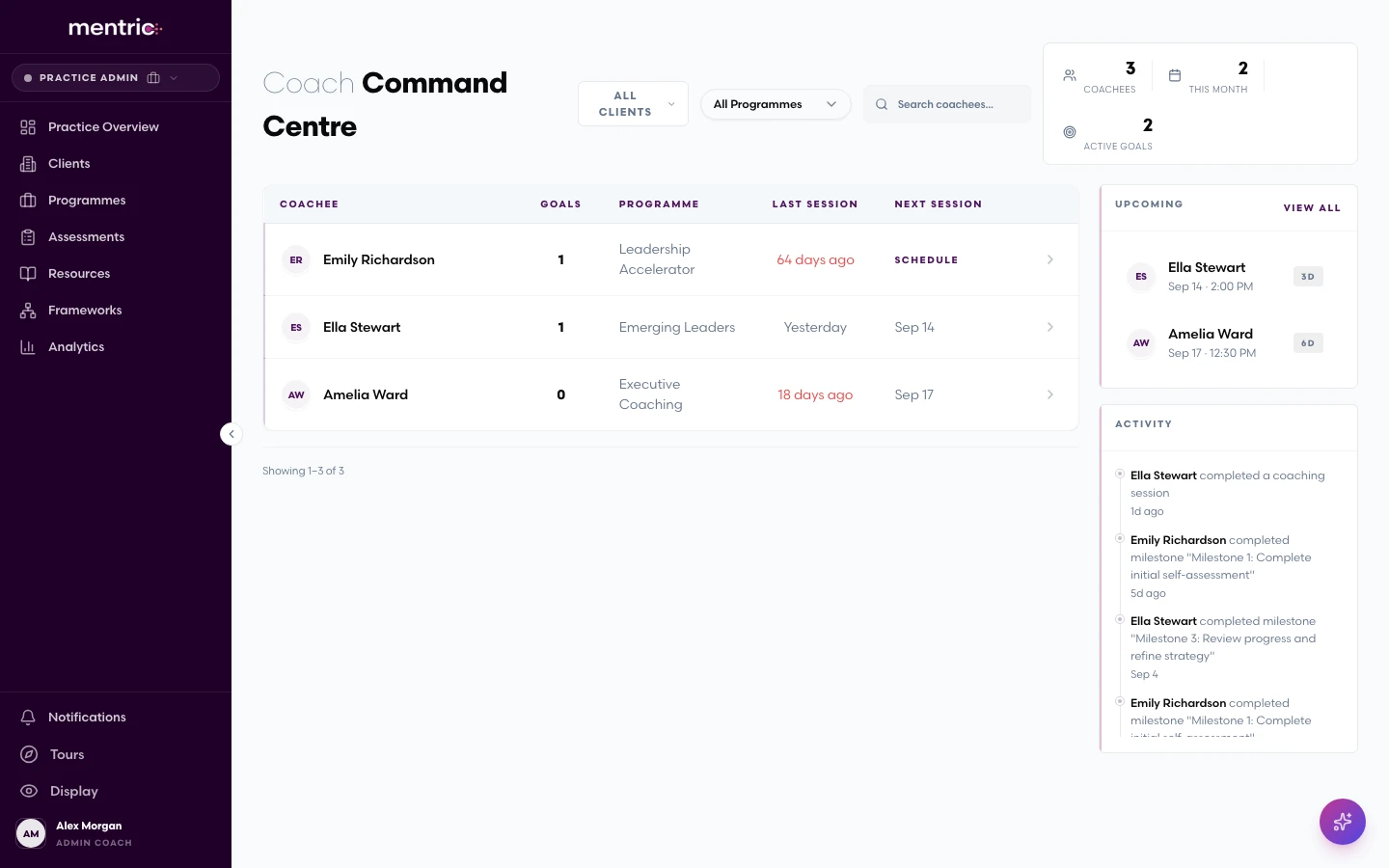
Flexible group creation
Create coaching groups defined by the coach or drawn from a programme's participant list, whichever suits your model.
Group session scheduling
Schedule sessions for multiple attendees with a single booking, including calendar invitations for every participant.
Individual attendance tracking
Record attendance per participant (Attended, No-Show, Excused, or Partial) for accurate reporting.
RSVP management
Participants RSVP to group sessions so you know exactly who to expect before the session begins.
Group dynamics notes
Capture observations about group dynamics, themes, and interactions alongside individual participant notes.
Artificial Intelligence
AI Assistant
An intelligent assistant woven throughout the platform, answering questions about your coaching data, generating suggestions, and automating the tasks that slow you down.
Natural language queries
Ask questions about your coaching data in everyday language and receive clear, accurate answers instantly.
Goal suggestions
AI analyses coaching data and recommends personalised goals, giving you a head start on development planning.
Automatic milestone creation
Once a goal is set, the AI can suggest a breakdown of milestones to make progress measurable and achievable.
Session summary generation
Get concise, structured summaries of coaching sessions, capturing key themes, decisions, and next steps.
Survey question generation
Generate targeted check-in questions with AI, focused on specific competencies or development areas.
Customisation
Branding & White-Label
Make Mentric your own. Apply your logo, colours, and fonts so the platform feels like a seamless extension of your coaching brand.
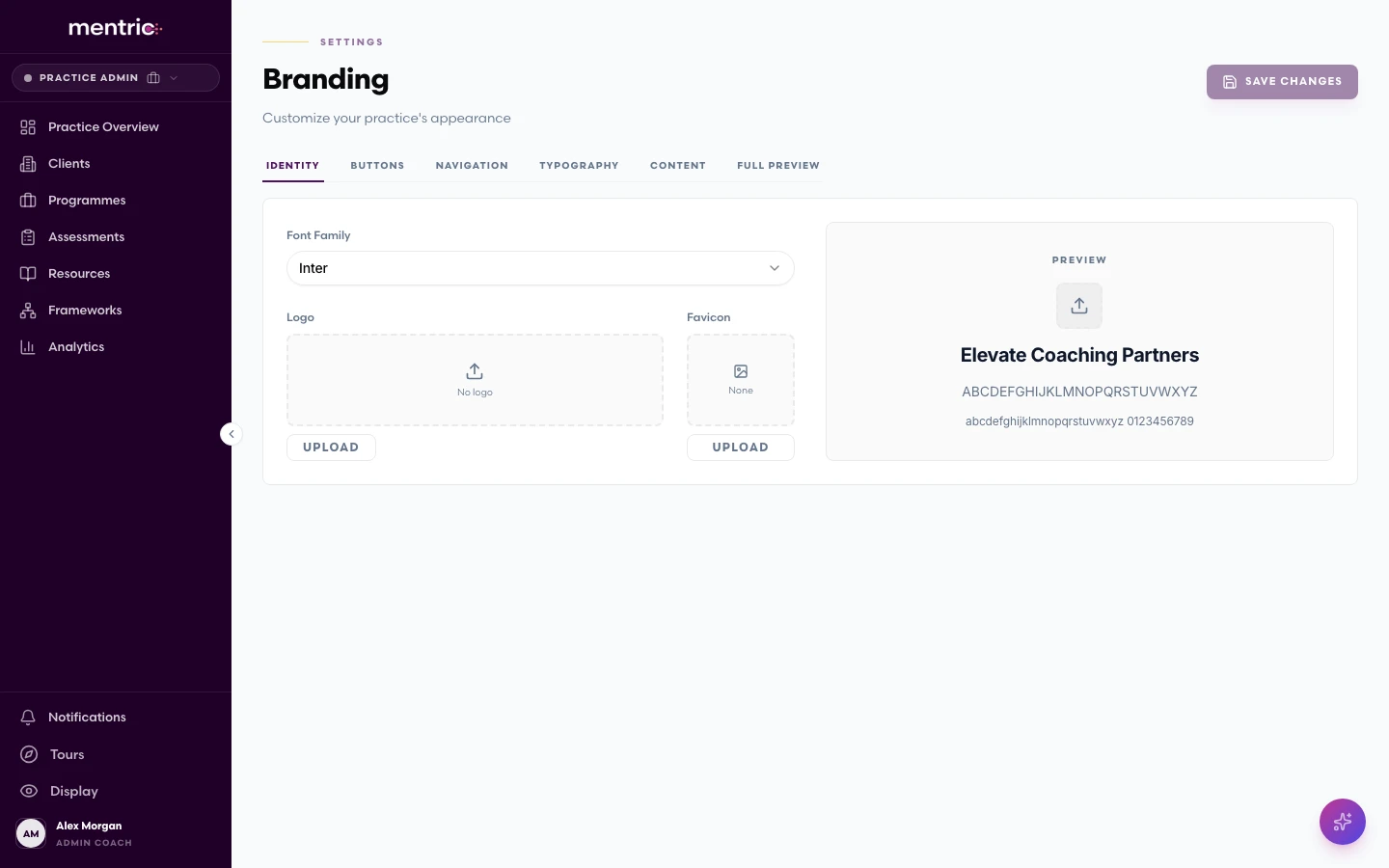
Custom logo, colours & fonts
Upload your logo and set your brand colours and typography to create a fully branded experience.
Per-client branding
Organisations can apply different branding for each client, delivering a tailored experience to every engagement.
Full UI theming
Configure the sidebar, header, buttons, and accent colours. Every visible element adapts to your brand identity.
Premium font options
Choose from a curated selection of premium fonts to match the personality of your brand.
Inclusive Design
Accessibility
Coaching should be accessible to everyone. Mentric is built with inclusivity at its core, meeting and exceeding accessibility standards.
WCAG AA/AAA compliance
The platform meets WCAG AA standards throughout, with AAA compliance in critical areas for maximum accessibility.
Adjustable font sizing
Users can increase text size from 100% up to 150% for comfortable reading, with layouts that adapt gracefully.
Line spacing controls
Configurable line spacing helps users with dyslexia or visual processing needs read content more comfortably.
Dyslexia-friendly font
A dedicated dyslexia-friendly font option can be enabled with a single click from the accessibility settings.
High contrast modes
High contrast colour schemes ensure the interface remains clear and readable for users with low vision.
Reduced motion support
Animations and transitions respect the user's reduced motion preference for a comfortable browsing experience.
Get Started
See it in action
Book a conversation and discover how Mentric can transform the way your practice delivers and evidences coaching.